WhatsApp
In October of 2016, I joined the team of WhatsApp, a messaging service used by over a billion people everyday around the world.
WhatsApp is focused on creating a simple, native, and reliable messaging app. It provides end-to-end encryption for all messages. Here are some of the projects I designed.
Status
Status was introduced on the 8th anniversary of WhatsApp. Since the app had originally started as a 'status' app, this feature was meant to evolve the status paradigm for contemporary media sharing. Instead of text, you could now share photos, videos and GIF updates.
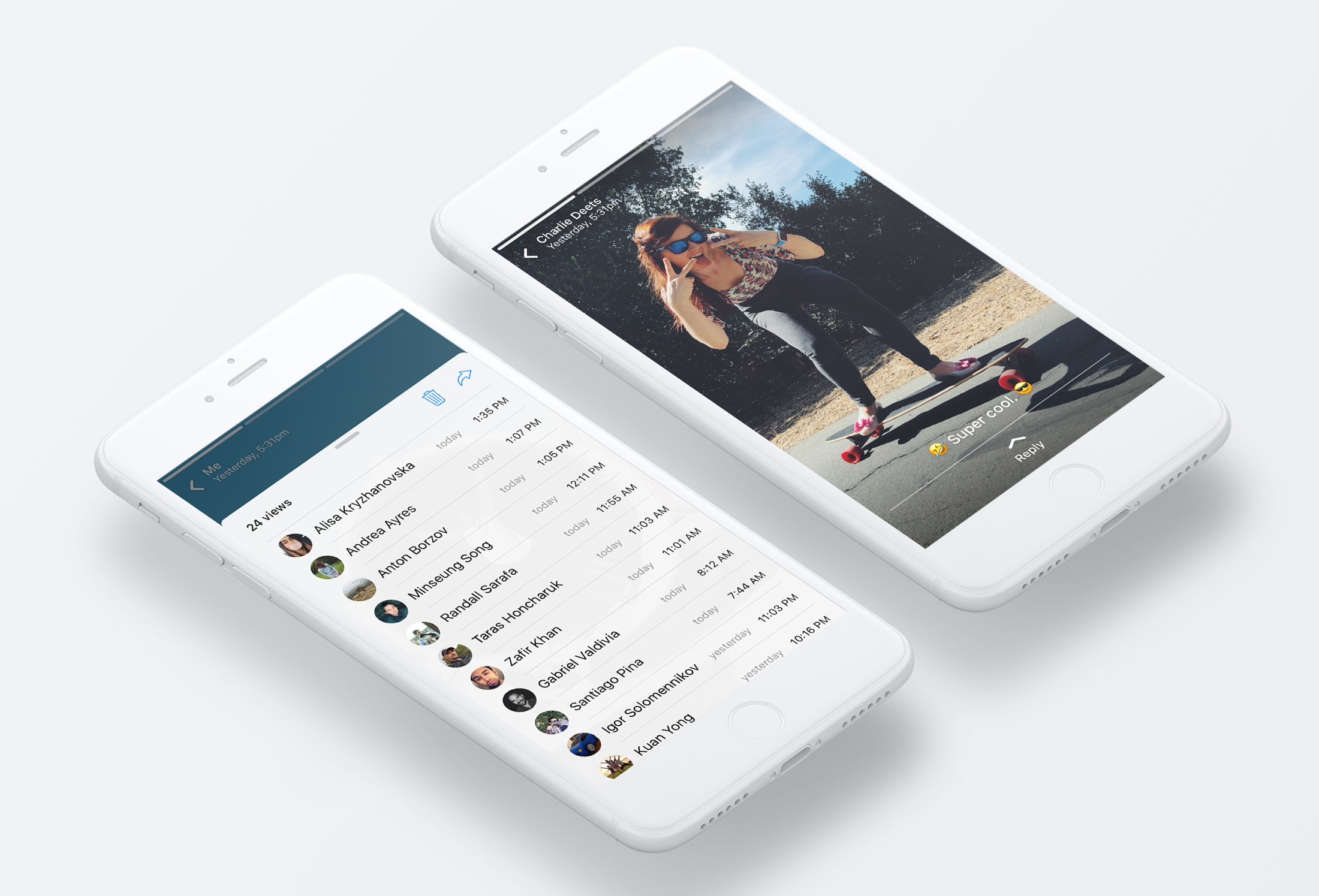 You control who sees your updates as well as the updates you see. The updates last for 24 hours and are fully encrypted end-to-end just like all your conversations on WhatsApp.
The feature focused on performance and reliability, allowing these updates to work on networks in all conditions. Status grew to be the top content production platform in the Facebook family of apps.
You control who sees your updates as well as the updates you see. The updates last for 24 hours and are fully encrypted end-to-end just like all your conversations on WhatsApp.
The feature focused on performance and reliability, allowing these updates to work on networks in all conditions. Status grew to be the top content production platform in the Facebook family of apps.
Photo Filters
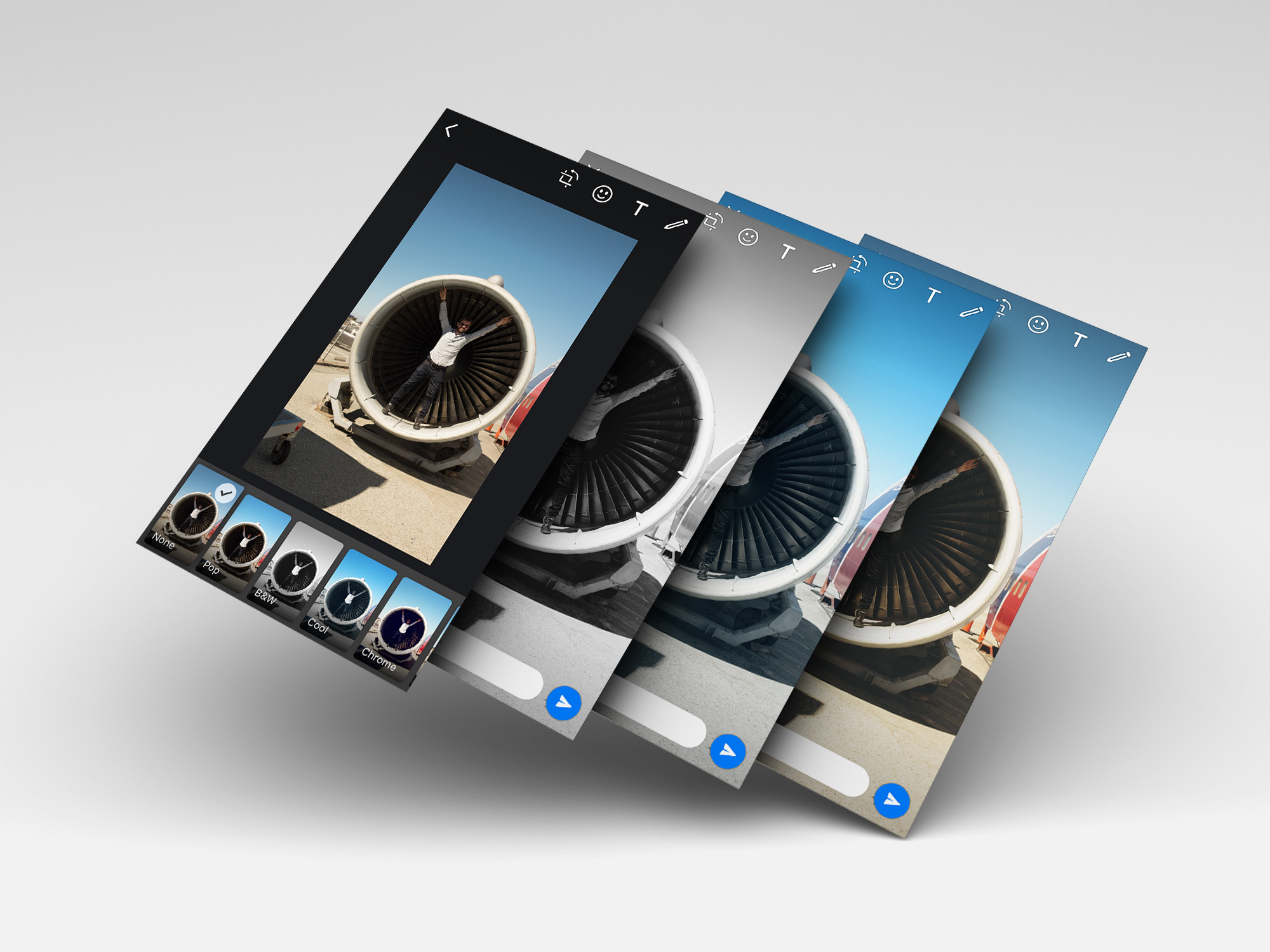
Photo filters allow you to add effects to your photos. I designed the user interface as well as the five photo filters themselves: Pop, B&W, Cool, Chrome, and Film.
Contact Info
An update to contact info, aimed to create an easier way to view the contact's profile photo, access profile information and settings from the chat. New colorful iconography was introduced to help make sense of the dense view.
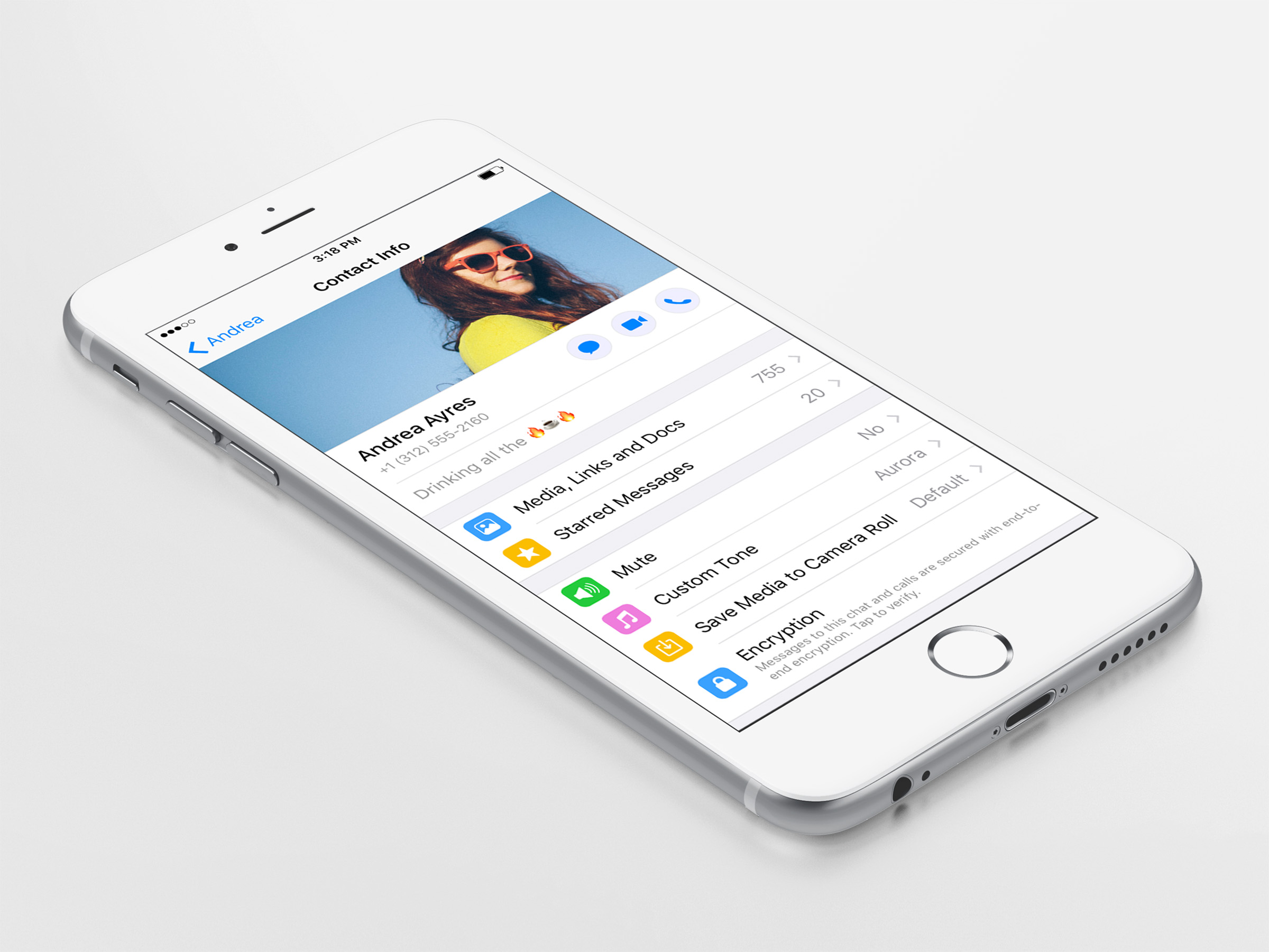
Photo Albums
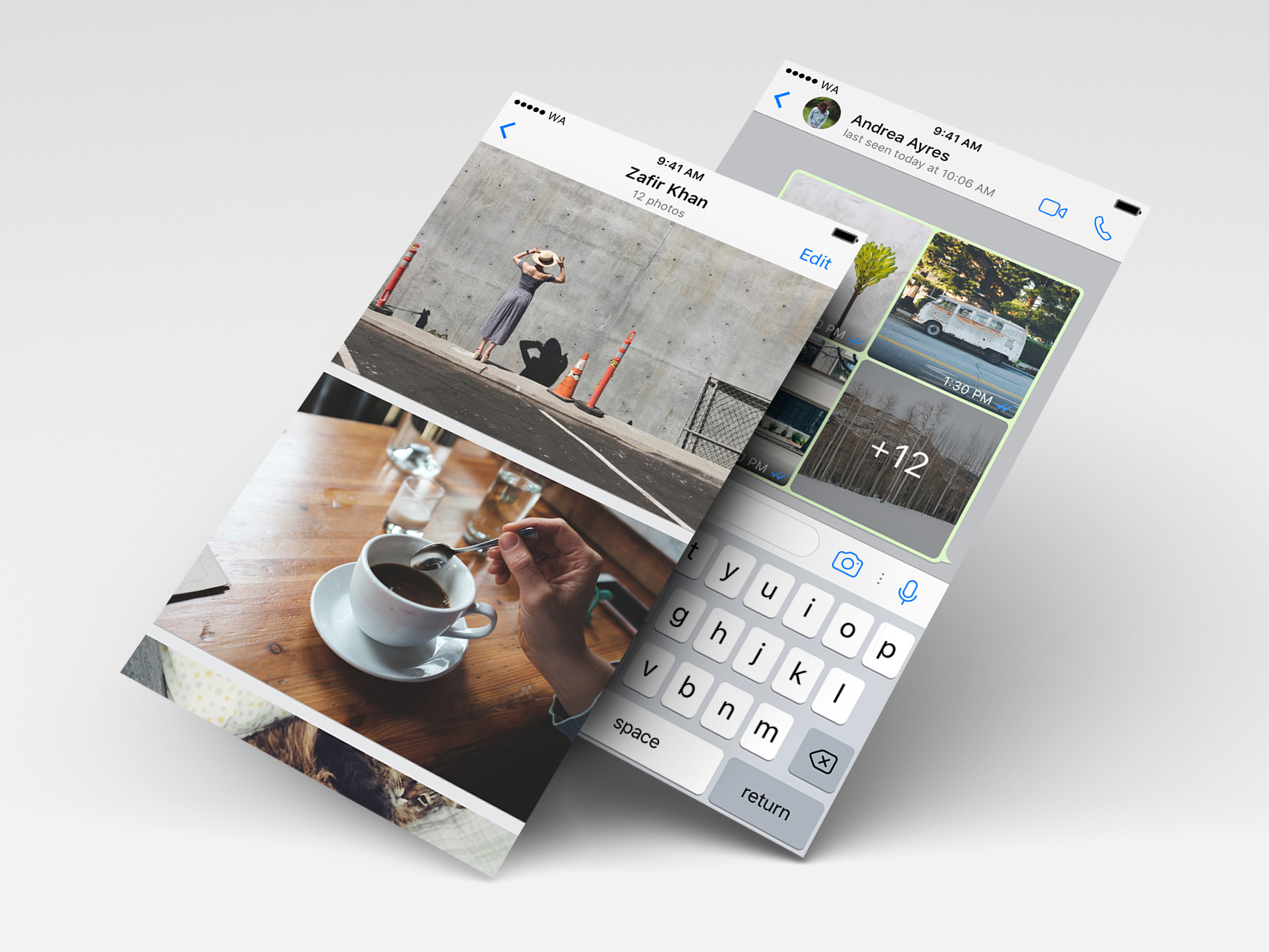
Photo albums allow you to send large sets of photos without disrupting a conversation. Multiple photos from a single participant condense down to an album view, rather than spamming chat with full size images. When you tap the album you are taken to a view where you can see all the photos full width by scrolling vertically.
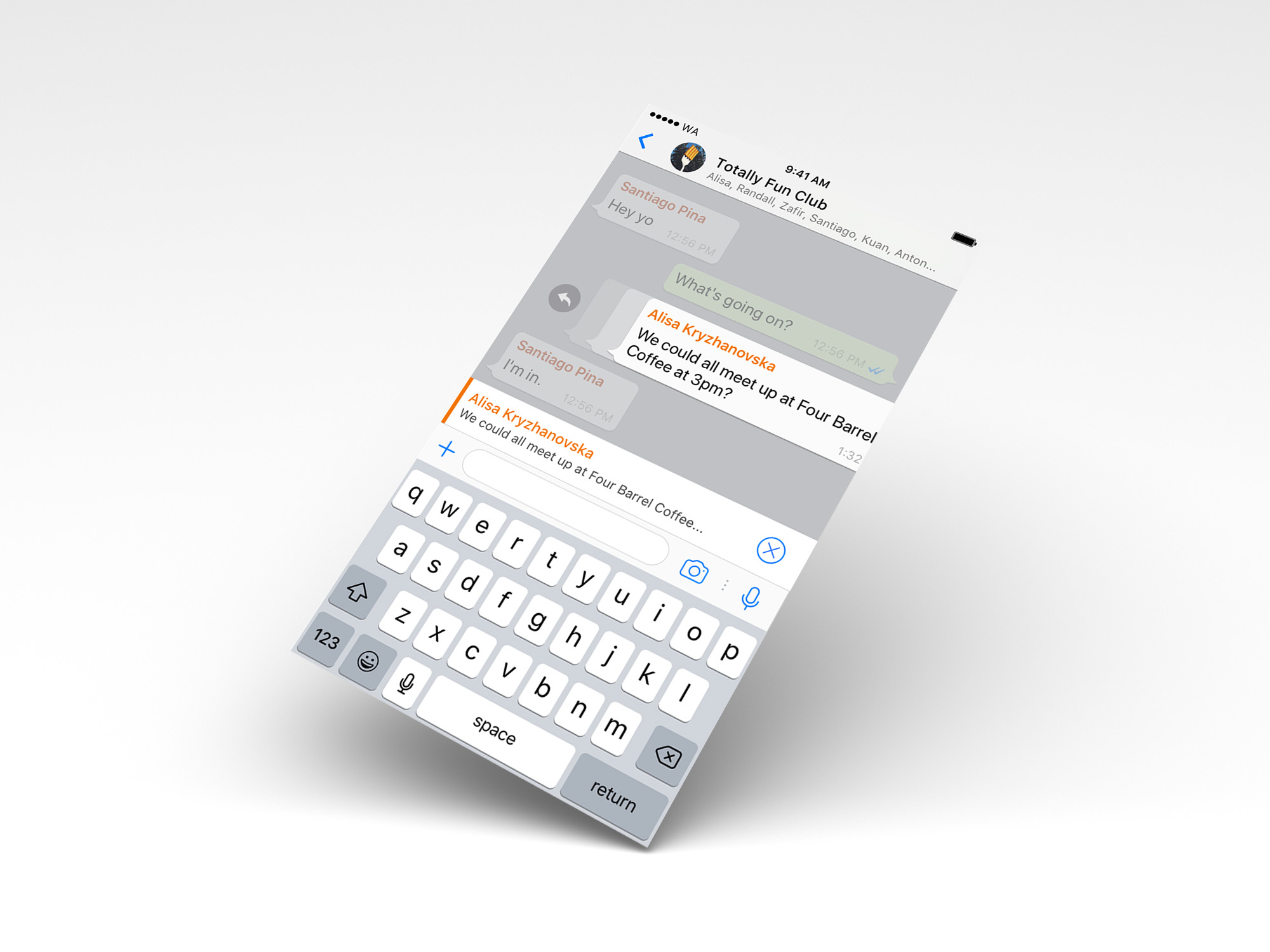
Swipe to Reply
On iOS and Android, you can swipe a message to the right to reply to it quickly.
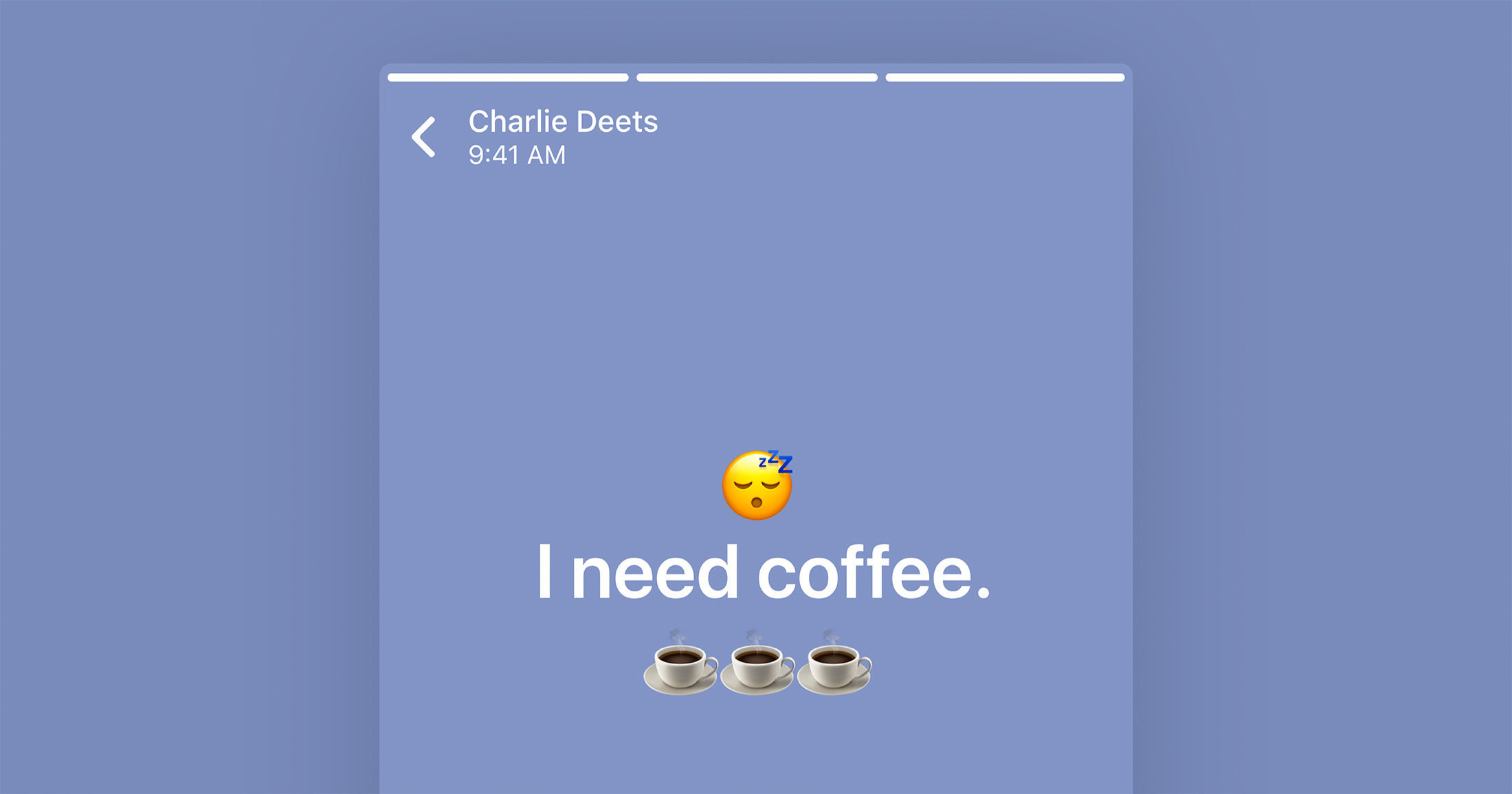
Text Status
Text Status was a later addition to Status that makes it easy to share text-based updates. The updates are extremely fast to create, send and receive. You can change the background color and font of any Text Status as well as add emoji characters and links.
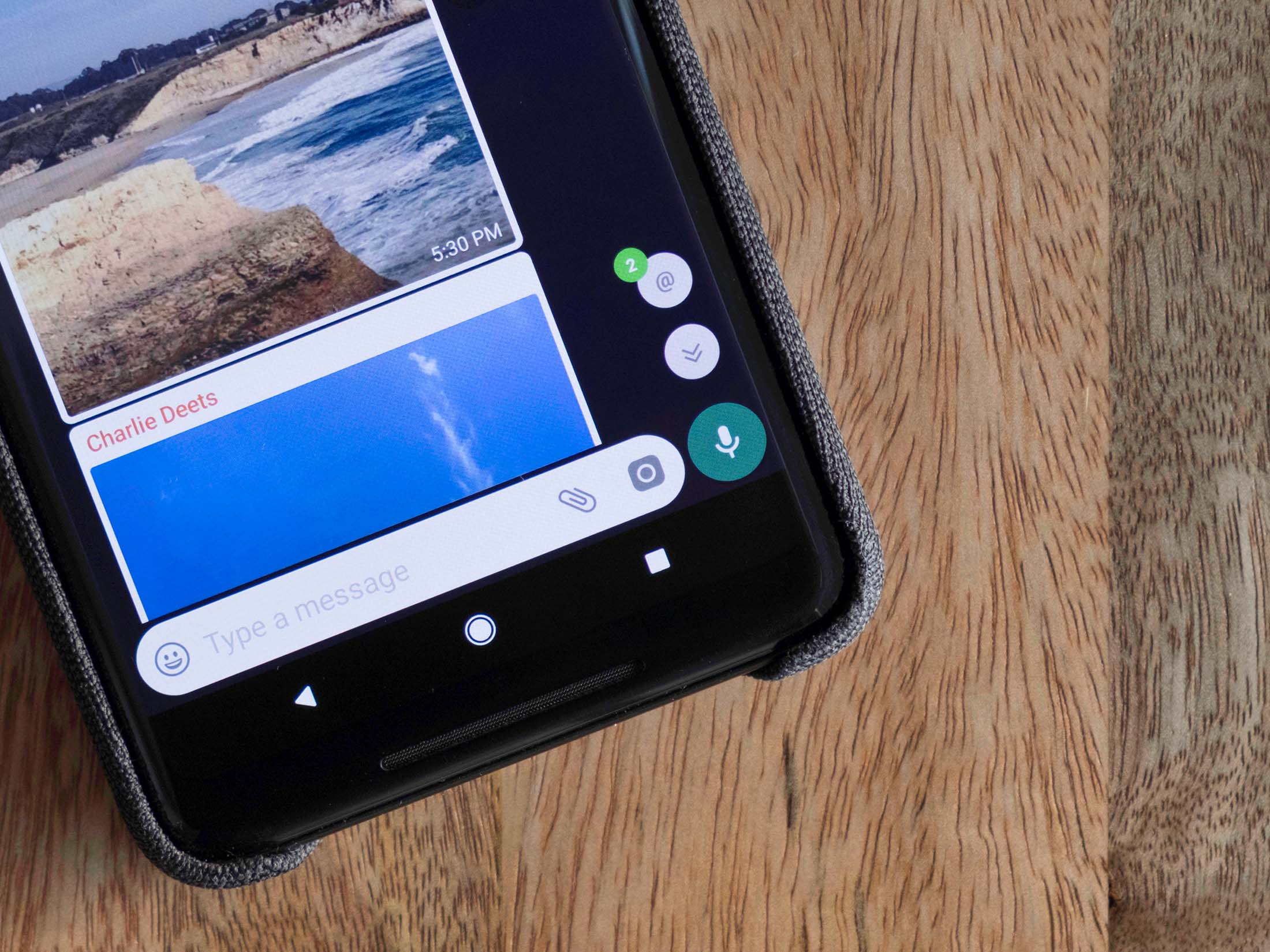
Groups Catch-up
When you return to a group that has a lot of new messages, you can instantly scroll to your mentions and replies.
Announcement Groups
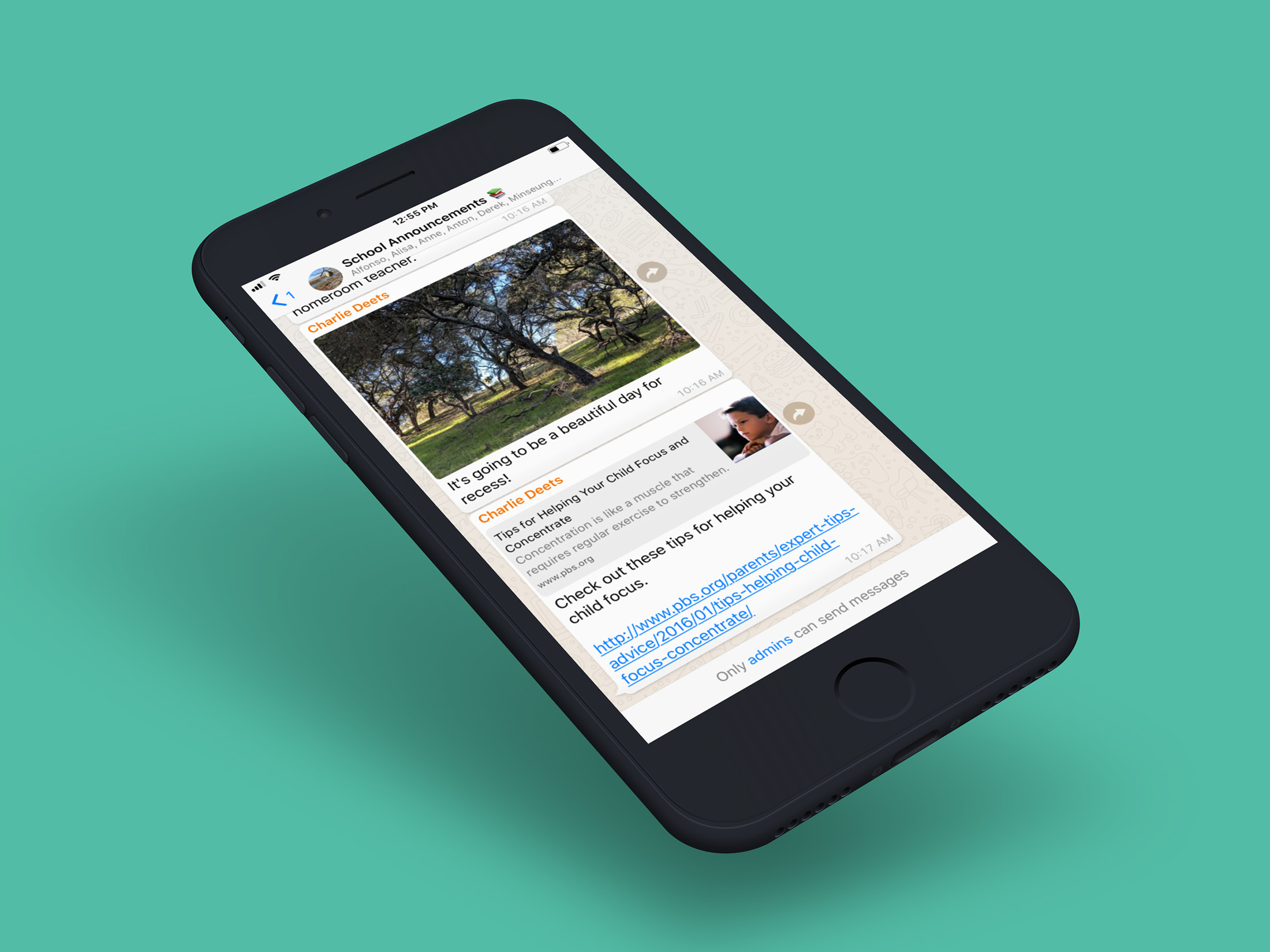
One way people use groups is to receive important announcements and information, including parents and teachers at schools, community centers, and non-profit organizations. Announcement Groups were created to help facilitate these behaviors.
Message Action Menu
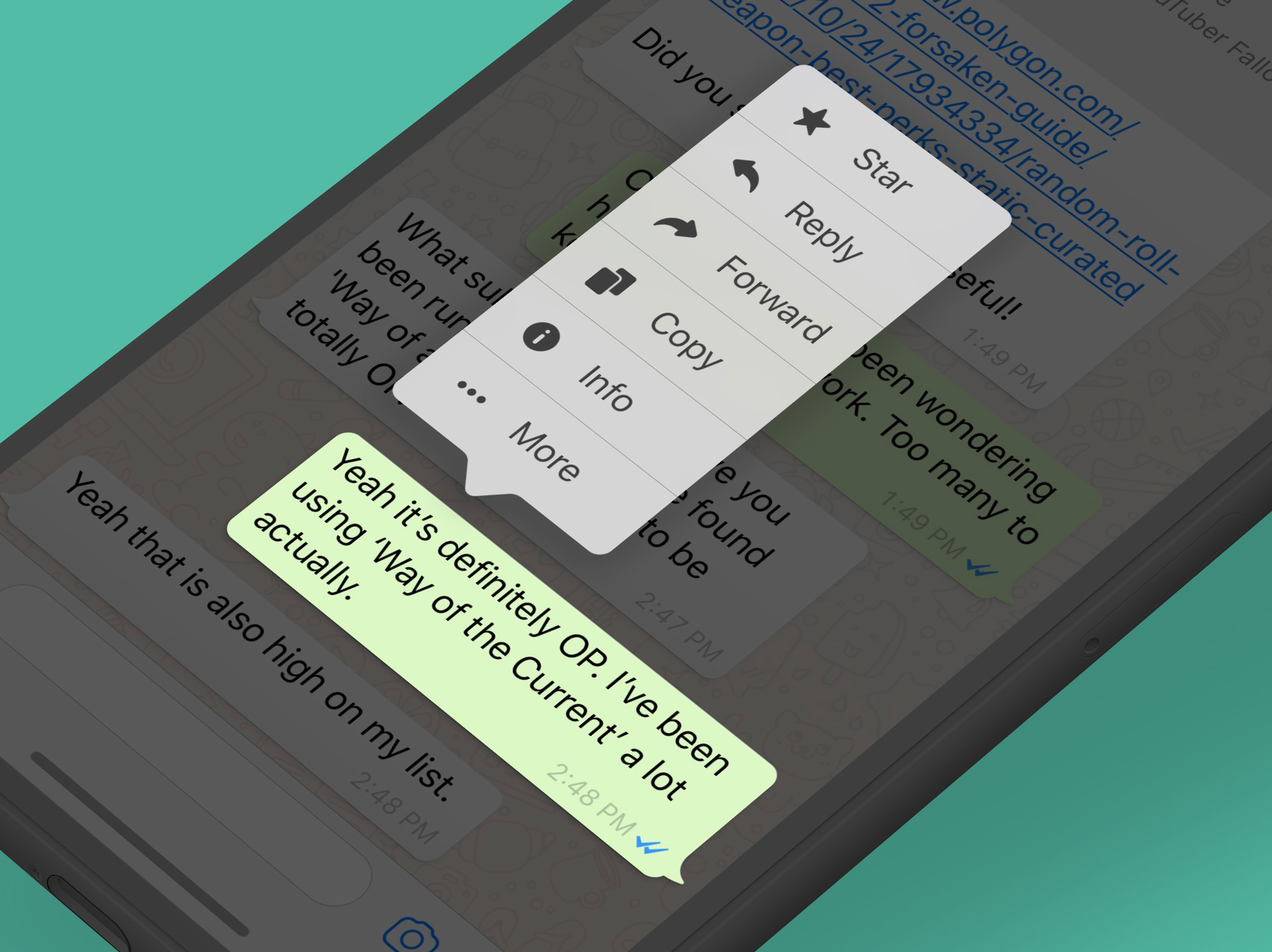
On iOS, the message action menu was redesigned to support more options, larger touch areas, display of icons to help parsing and longer strings for language translations.
Group Description
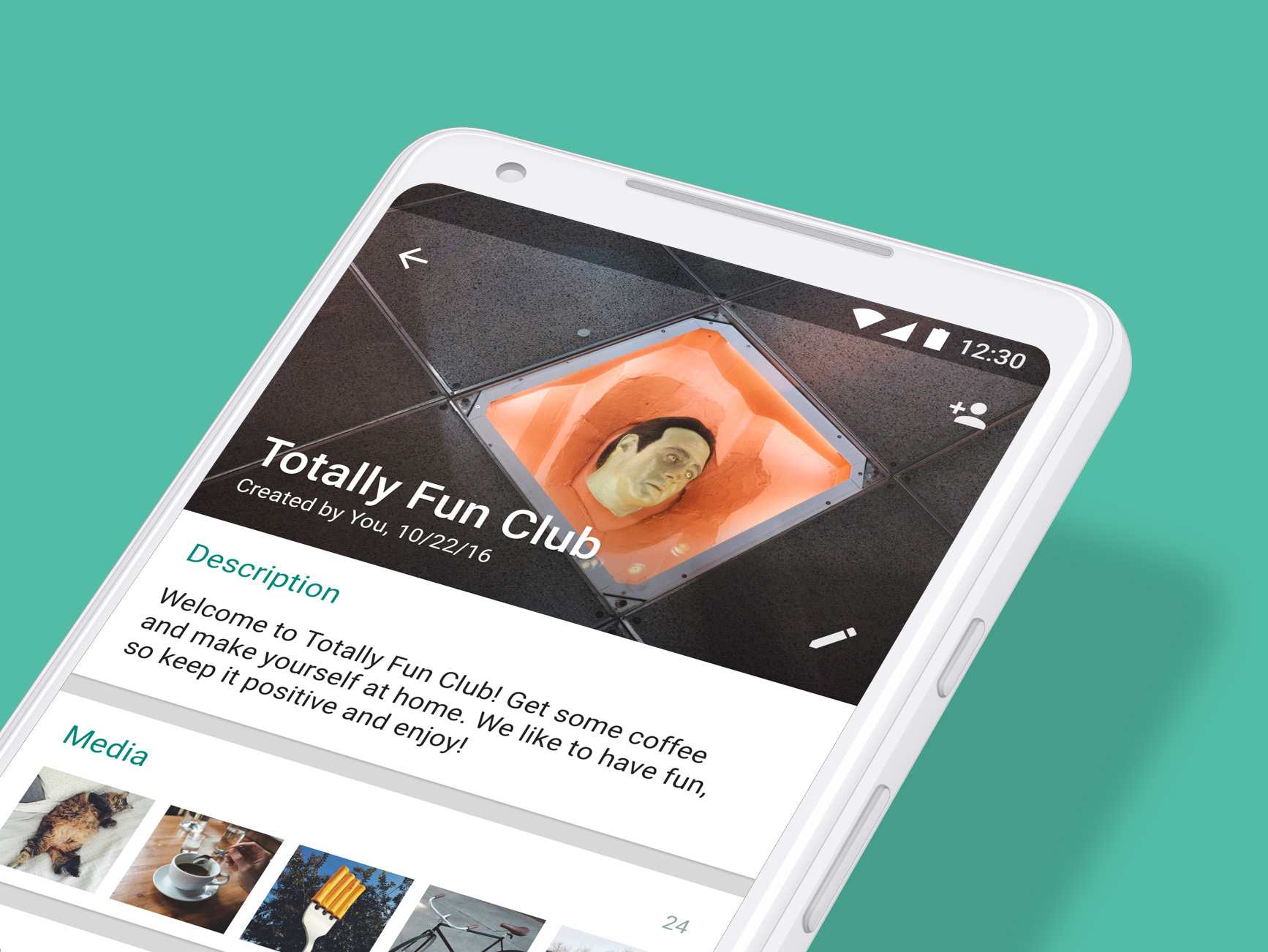
Groups were given the option to create a description where they could outline the purpose of the group, define the rules, or social norms. This description is shown to the participants of the group as well as when people are joining the group from an invite link.
Chat Search
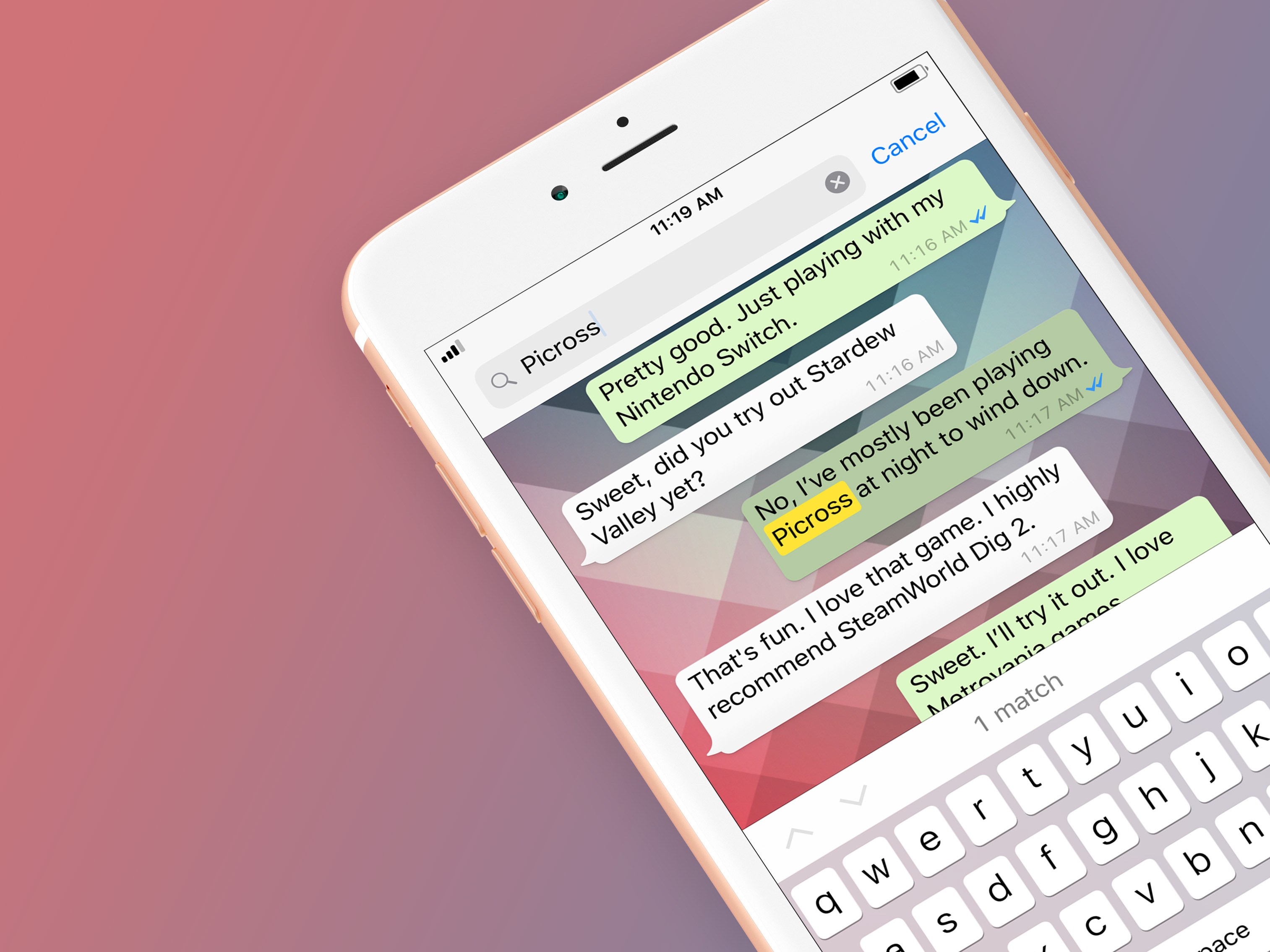
The ability to search the contents of a specific chat was given its own UI within the chat.
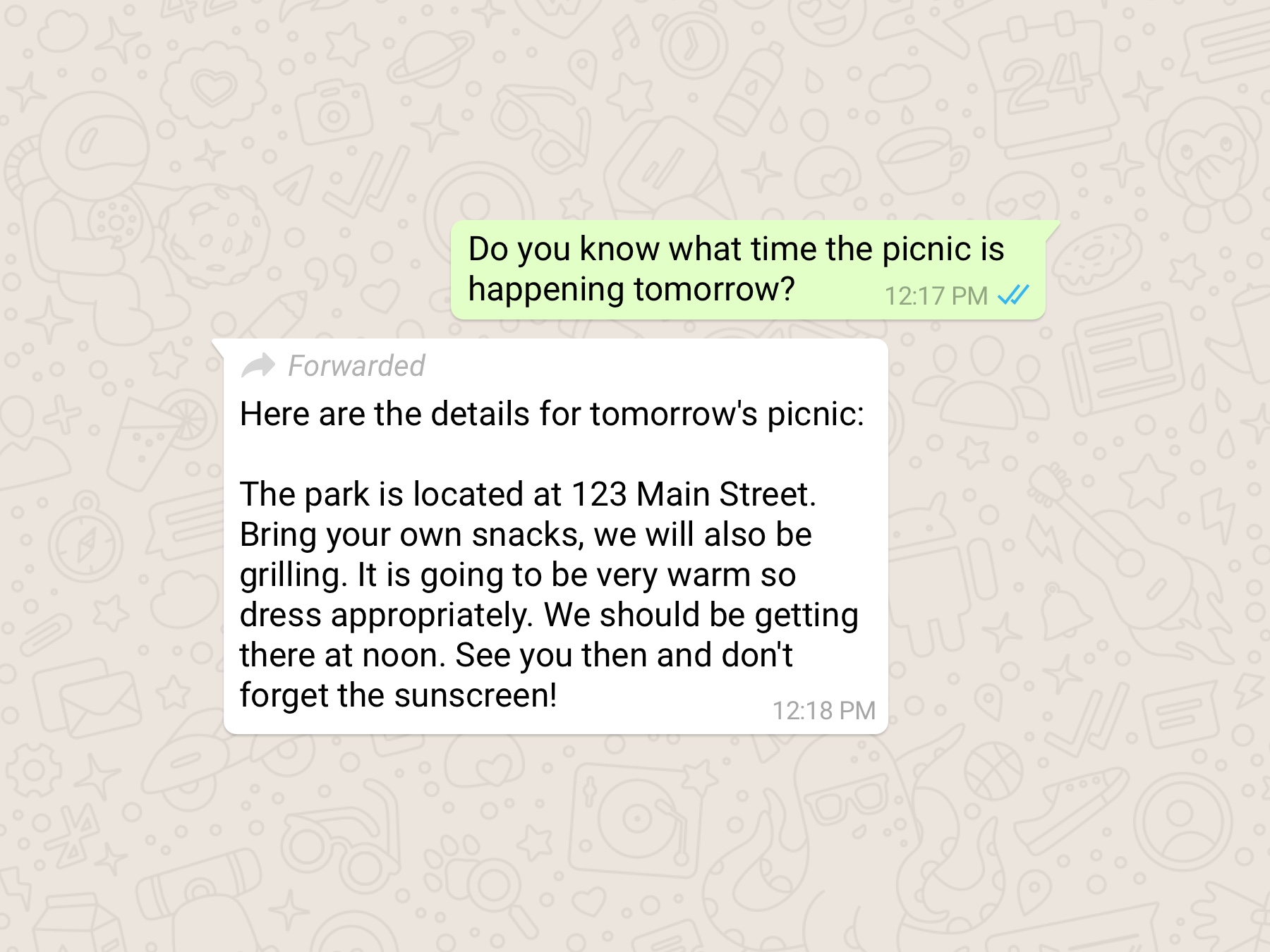
Forwarded Message Indicator
This indicator shows you which messages you receive have been forwarded to you. This helps make one-on-one and group chats easier to follow. It also helps you determine if your friend or relative wrote the message they sent or if it originally came from someone else.